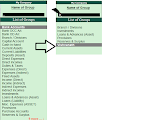
F1:To select a company
E2:TO CHANGE THE MENU PERIOD
F3:TO SELECT THE COMPANY
F4:TO SELECT THE CONTRA VOUCHER
F5:TO SELECT THE PAYMENT VOUCHER
F6:TO SELECT THE RECEIPT VOUCHER
F7:TO SELECT THE JOURNAL VOUCHER
F8:TO SELECT SALES VOUCHER
F9:TO SELECT THE PURCHASE VOUCHER
F10:TO SELECT THE REVERSING JOURNAL VOUCHERS
F10:TO SELECT THE MEMORANDUM VOUCHER
F11:TO SELECT THE FUNCTIONS & FEAUTRE SCREEN
F12:TO SELECT THE CONFIGURE SCREEN
ALT+A:TO ADD A VOUCHER
ALT+C:TO CREATE A MASTER AT A VOUCHER SCREEN
ALT+D:TO DELETE A VOUCHER & MASTER
ALT+E:TO EXPORT THE REPORT IN ASCII,HTML,SDF,XML FORMAT
ALT+I:TO INSERT A VOUCHER
ALT+O:TO UPLOAD THE REPORT AT YOUR WEBSITE
ALT+M:TO EMAIL THE REPORT
ALT+P:TO PRINT THE REPOR
ALT+R:TO REMOVE LINE IN A REPORT
ALT+S:TO BRING BACK A LINE YOU REMOVED USING ALT+R.
ALT+R:TO REGISTER TALLY
ALT+V:FROM INVOICE SCREEN TO STOCK JOURNAL SCREEN
ALT+W:VIEW TALLY WEB BROWSER
ALT+X:CANCEL A VOUCHER IN DAY BOOK/LIST OF VOUCHERS
CTRL+A:ACCEPT A FORM
CTRL+B:TO SELECT THE BUDGET
CTRL+C:SELECT THE COST CENTRE,COST CATOGORY
CTRL+F8:TO SELECT THE CREDIT NOTE VOUCHER
CTRL+F9:TO SELECT THE DEBIT NOTE VOUCHER
CTRL+E:TO SELECT CURRENCIES
CTRL+G:SELECT THE GROUP
CTRL+I:SELECT THE STOCK ITE
CTRL+L:SELECT THE LEDGER
CTRL+O:SELECT THE GODOWNS
CTRL+Q:TO ABONDON A FORM
CTRL+ALT+R:REWRITE DATA FOR A COMPANY
CTRL+S:TO ALTER STOCK ITEM MASTER
CTRL+U:SELECT THE UNITS
CTRL+V:SELECT THE VOUCHER TYPES
ALT+F1:TO CLOSE A COMPANY,TO VIEW DETAILED REPORT,TO EXPLOID A LINE INTO ITS DETAILS
ALT+F2:TO CHANGE THE SYSTEM PERIODE
ALT+F3:TO SELECT THE COPMANY INFO MENU,TO CREATE/ALTER/SHUT A COMPANY
ALT+F4:TO SELECT THE PURCHASE ORDER VOUCHER TYPE
ALT+F5:TO SELECT THE SALES ORDER VOUCHER TYPE,,,TO VIEW MONTHLY AND QUARTERLY REPORT
ALT+F6:TO SELECT THE REJECTION OUT VOUCHER TYPE,,TO CHANGE THE SALES ORDER VOUCHER TYPE
ALT+F7:TO SELECT THE STOCK JOURnal VOUCHER TYPE,,TO ACCEPT ALL THE AUDIT LI
ALT+F8:TO SELECT THE DELIVERY NOTE VOUCHER TYPE,,TO VIEW THE COLUMNAR REPORT,
ALT+F9:TO SELECT THE RECIEPT NOTE VOUCHER TYPE
ALT+F10:TO SELECT THE PHYSICAL STOCK VOUCHER TYPE,
ALT+F11:TO
ALT+F12:ADVANCED CONFIGUR
E2:TO CHANGE THE MENU PERIOD
F3:TO SELECT THE COMPANY
F4:TO SELECT THE CONTRA VOUCHER
F5:TO SELECT THE PAYMENT VOUCHER
F6:TO SELECT THE RECEIPT VOUCHER
F7:TO SELECT THE JOURNAL VOUCHER
F8:TO SELECT SALES VOUCHER
F9:TO SELECT THE PURCHASE VOUCHER
F10:TO SELECT THE REVERSING JOURNAL VOUCHERS
F10:TO SELECT THE MEMORANDUM VOUCHER
F11:TO SELECT THE FUNCTIONS & FEAUTRE SCREEN
F12:TO SELECT THE CONFIGURE SCREEN
ALT+A:TO ADD A VOUCHER
ALT+C:TO CREATE A MASTER AT A VOUCHER SCREEN
ALT+D:TO DELETE A VOUCHER & MASTER
ALT+E:TO EXPORT THE REPORT IN ASCII,HTML,SDF,XML FORMAT
ALT+I:TO INSERT A VOUCHER
ALT+O:TO UPLOAD THE REPORT AT YOUR WEBSITE
ALT+M:TO EMAIL THE REPORT
ALT+P:TO PRINT THE REPOR
ALT+R:TO REMOVE LINE IN A REPORT
ALT+S:TO BRING BACK A LINE YOU REMOVED USING ALT+R.
ALT+R:TO REGISTER TALLY
ALT+V:FROM INVOICE SCREEN TO STOCK JOURNAL SCREEN
ALT+W:VIEW TALLY WEB BROWSER
ALT+X:CANCEL A VOUCHER IN DAY BOOK/LIST OF VOUCHERS
CTRL+A:ACCEPT A FORM
CTRL+B:TO SELECT THE BUDGET
CTRL+C:SELECT THE COST CENTRE,COST CATOGORY
CTRL+F8:TO SELECT THE CREDIT NOTE VOUCHER
CTRL+F9:TO SELECT THE DEBIT NOTE VOUCHER
CTRL+E:TO SELECT CURRENCIES
CTRL+G:SELECT THE GROUP
CTRL+I:SELECT THE STOCK ITE
CTRL+L:SELECT THE LEDGER
CTRL+O:SELECT THE GODOWNS
CTRL+Q:TO ABONDON A FORM
CTRL+ALT+R:REWRITE DATA FOR A COMPANY
CTRL+S:TO ALTER STOCK ITEM MASTER
CTRL+U:SELECT THE UNITS
CTRL+V:SELECT THE VOUCHER TYPES
ALT+F1:TO CLOSE A COMPANY,TO VIEW DETAILED REPORT,TO EXPLOID A LINE INTO ITS DETAILS
ALT+F2:TO CHANGE THE SYSTEM PERIODE
ALT+F3:TO SELECT THE COPMANY INFO MENU,TO CREATE/ALTER/SHUT A COMPANY
ALT+F4:TO SELECT THE PURCHASE ORDER VOUCHER TYPE
ALT+F5:TO SELECT THE SALES ORDER VOUCHER TYPE,,,TO VIEW MONTHLY AND QUARTERLY REPORT
ALT+F6:TO SELECT THE REJECTION OUT VOUCHER TYPE,,TO CHANGE THE SALES ORDER VOUCHER TYPE
ALT+F7:TO SELECT THE STOCK JOURnal VOUCHER TYPE,,TO ACCEPT ALL THE AUDIT LI
ALT+F8:TO SELECT THE DELIVERY NOTE VOUCHER TYPE,,TO VIEW THE COLUMNAR REPORT,
ALT+F9:TO SELECT THE RECIEPT NOTE VOUCHER TYPE
ALT+F10:TO SELECT THE PHYSICAL STOCK VOUCHER TYPE,
ALT+F11:TO
ALT+F12:ADVANCED CONFIGUR